AMNH Best Practices: Difference between revisions
Jump to navigation
Jump to search
No edit summary |
No edit summary |
||
| Line 18: | Line 18: | ||
File:10' Truss Tower.png | 10' Truss Tower | File:10' Truss Tower.png | 10' Truss Tower | ||
</gallery> | </gallery> | ||
== FOH == | == FOH == | ||
Our HOL FOH setup involves an Ascender16 and two laptops. This image shows the typical configuration. Just beyond the decks and monitors would be the stairs. The gray table next to us is where lighting/SM would be set up. | |||
[[File:AMNH Front of House.png|thumb|AMNH Front of House]] | |||
Revision as of 15:40, 23 July 2024
Parent article: Production Video
In the Hall of Ocean Life at AMNH, we have three primary features we repeatedly set up. The main screen, the 10' Truss tower, and the Ascender16 at FOH.
HOL Main Screen

There are two primary configurations for screens in this room. Both involve a screen hung over the railing of the center of the far side of the room. Rigging sections for both are shown here.
-
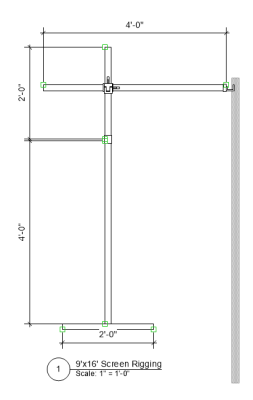 9' x 16' Screen
 -
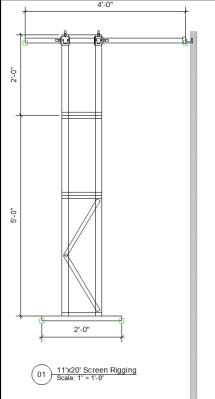 11' x 20' Screen


Truss Tower
-
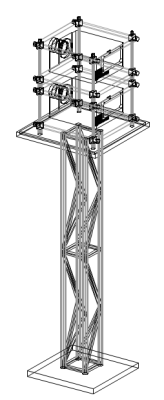 10' Truss Tower

FOH
Our HOL FOH setup involves an Ascender16 and two laptops. This image shows the typical configuration. Just beyond the decks and monitors would be the stairs. The gray table next to us is where lighting/SM would be set up.
